

Competing in Garena Free Fire tournaments on ChampsArena requires squad synergy, strict roster compliance, and adherence to official competitive rules. Whether you are aiming for community cups or competing in cash prize pool championships, this guide walks you through the entire process from linking your game UID and squad creation to inviting teammates, accepting invitations, match day room access, and rulebook enforcement.
Step 1: Add Your Free Fire In-Game Name & UID in Profile
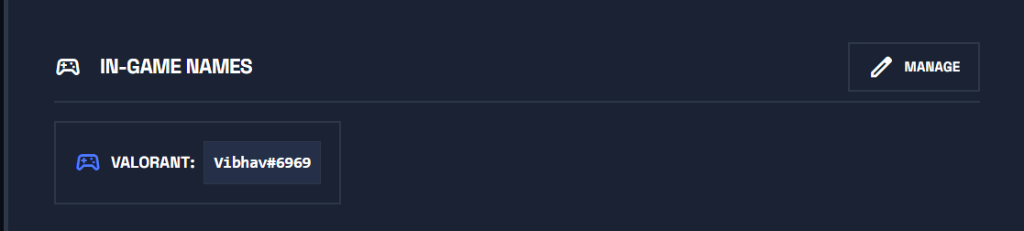
Main thing before all this: Make sure you and every member of your squad have added your Free Fire in-game details to your ChampsArena profile before creating a team or registering for tournaments:
- 1Go to your Profile Settings on ChampsArena.
- 2Scroll to the In-Game Names section and click the MANAGE button as you can see in the screenshot below.
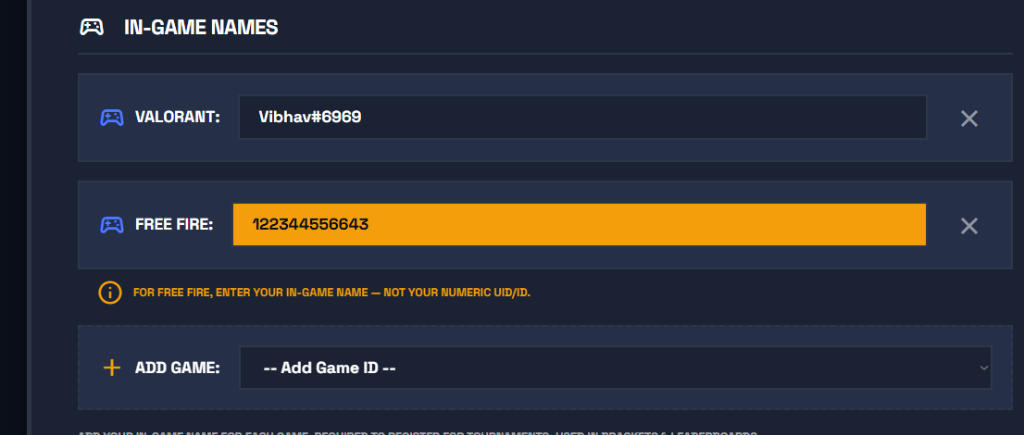
- 1From the + ADD GAME dropdown, select Free Fire.
- 2Enter your exact in-game Free Fire NAME / UID into the field.
- 3Click save so your account is officially authenticated for custom room matches and tournament leaderboards.
Step 2: Create Your Free Fire Squad
Every Free Fire tournament on ChampsArena is a squad competition. Before registering for an open bracket, the team captain creates the squad on the Teams Dashboard with an approved roster structure of 4 Main Starters + 1 Substitute.
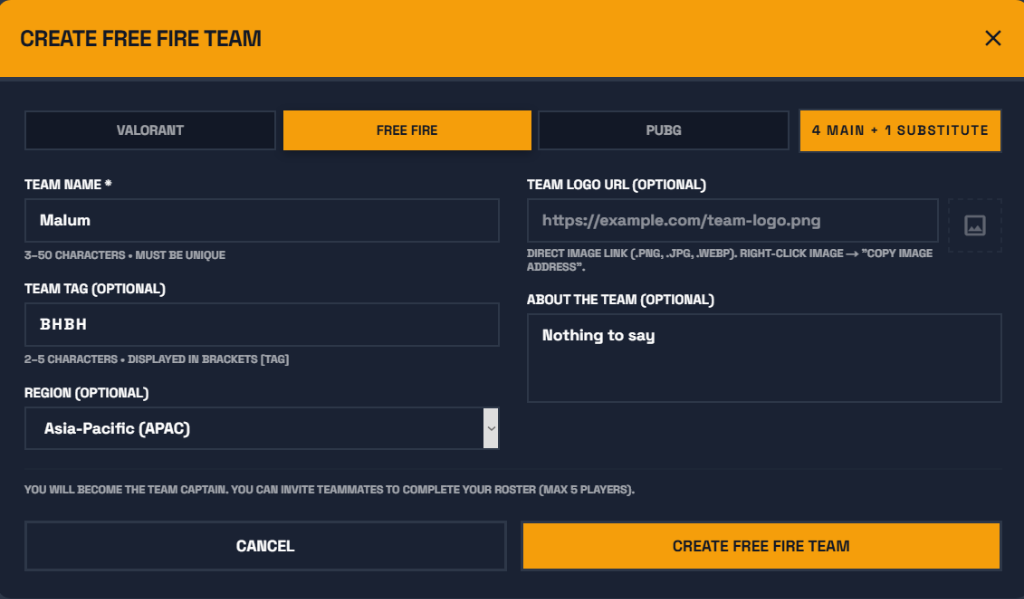
What to Fill Out in Team Creation:
- Team Name: The official name of your esports team or squad organization (e.g.
Malum). - Team Tag: A 2 to 5 letter short tag displayed in brackets (e.g.
[BHBH]). - Game: Select FREE FIRE from the tabs.
- Region: Select your server region (e.g.
Asia-Pacific (APAC), South Asia, etc.). - Team Logo URL (Optional): Direct image link ending in
.png,.jpg, or.webp. - About the Team (Optional): Short description of your playstyle and tournament goals.
- Click Create Free Fire Team.
Step 3: Click "Invite Members" to Invite Your Squad
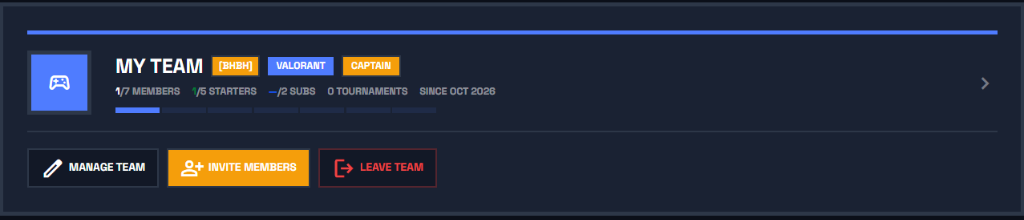
After creating the team, you will be redirected to your Teams Dashboard. To recruit your squadmates:
- 1Locate your squad card under My Teams.
- 2Click the orange "+ INVITE MEMBERS" button as shown in the screenshot below.
Step 4: Search Teammates & Send Roster Invites
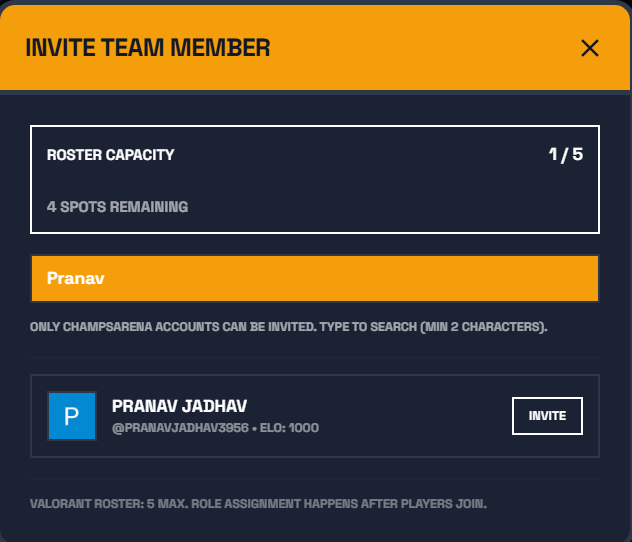
After clicking Invite Members, the recruitment modal will open on your screen:
- 1Search your teammate's registered name or username on ChampsArena (for example, typing
Pranavas shown below). - 2When your teammate's profile appears, click the "INVITE" button next to their name.
- 3Your teammate receives an immediate notification in their top notification bell and an email invite to join your squad.
Step 5: How Your Friend Accepts the Invite to Join the Team
After you send an invitation, here is what your friend sees on their My Teams dashboard:
- 1Your friend goes to the My Teams page on ChampsArena.
- 2Under the PENDING INVITATIONS section at the top of the page, they will see your team name, game, and squad tag
[BHBH]. - 3All they have to do is click the orange "ACCEPT" button as shown in the image below!
- 1Once accepted, their player profile is automatically added to your active team roster.
- 2Register for Tournaments: Once you have 4 members in your team, you can immediately register your squad for open Free Fire Tournaments!
Step 6: Register Your Squad for the Tournament
Once you have at least 4 active members on your roster, head over to the Free Fire Tournaments Directory and choose an open tournament bracket.
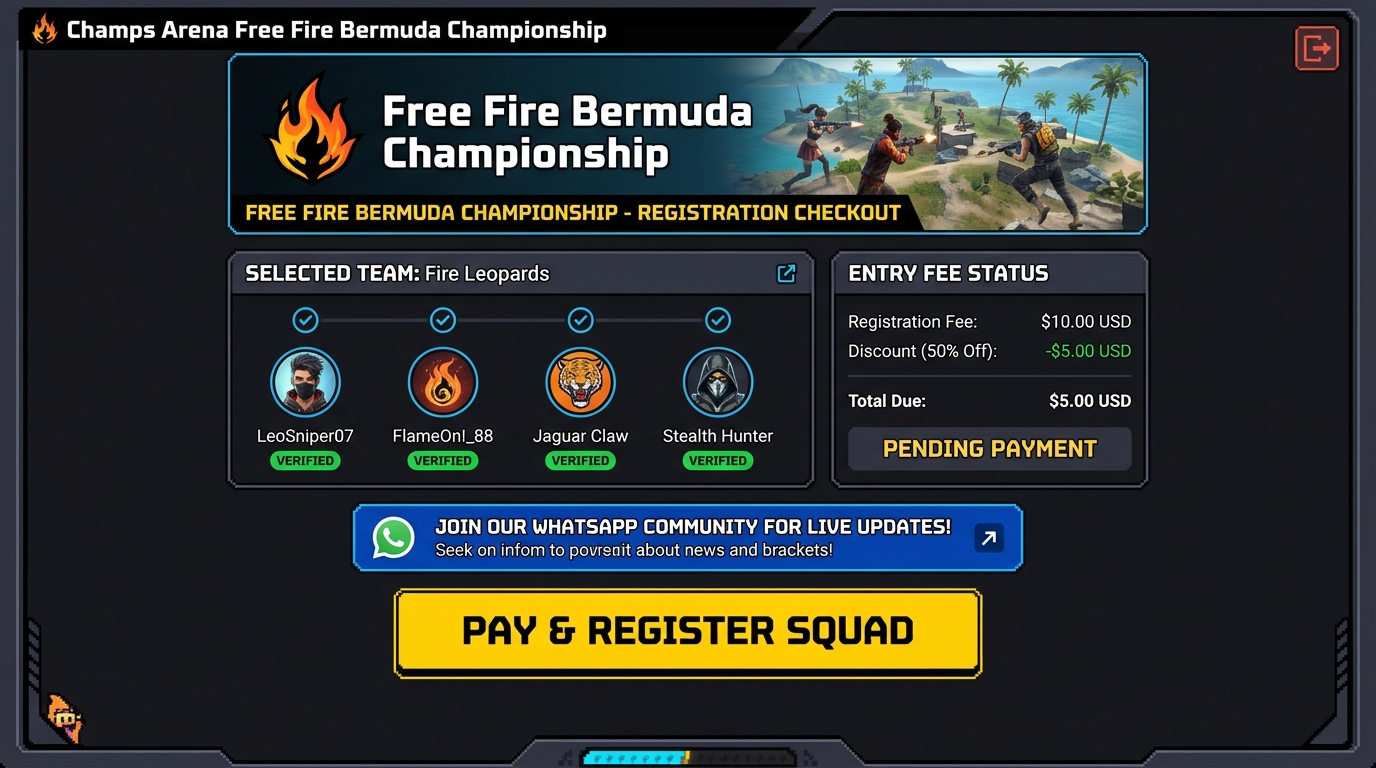
- Captain Checkout: Only the team captain can initiate and confirm tournament registration on behalf of the squad.
- Instant Slot Confirmation: Paid tournaments support instant UPI and QR payment verification. Once payment completes, your squad slot is secured immediately.
- Match Notifications: Captains receive immediate notifications and live updates inside their ChampsArena dashboard.
Step 7: Match Day Protocol & Custom Room Details
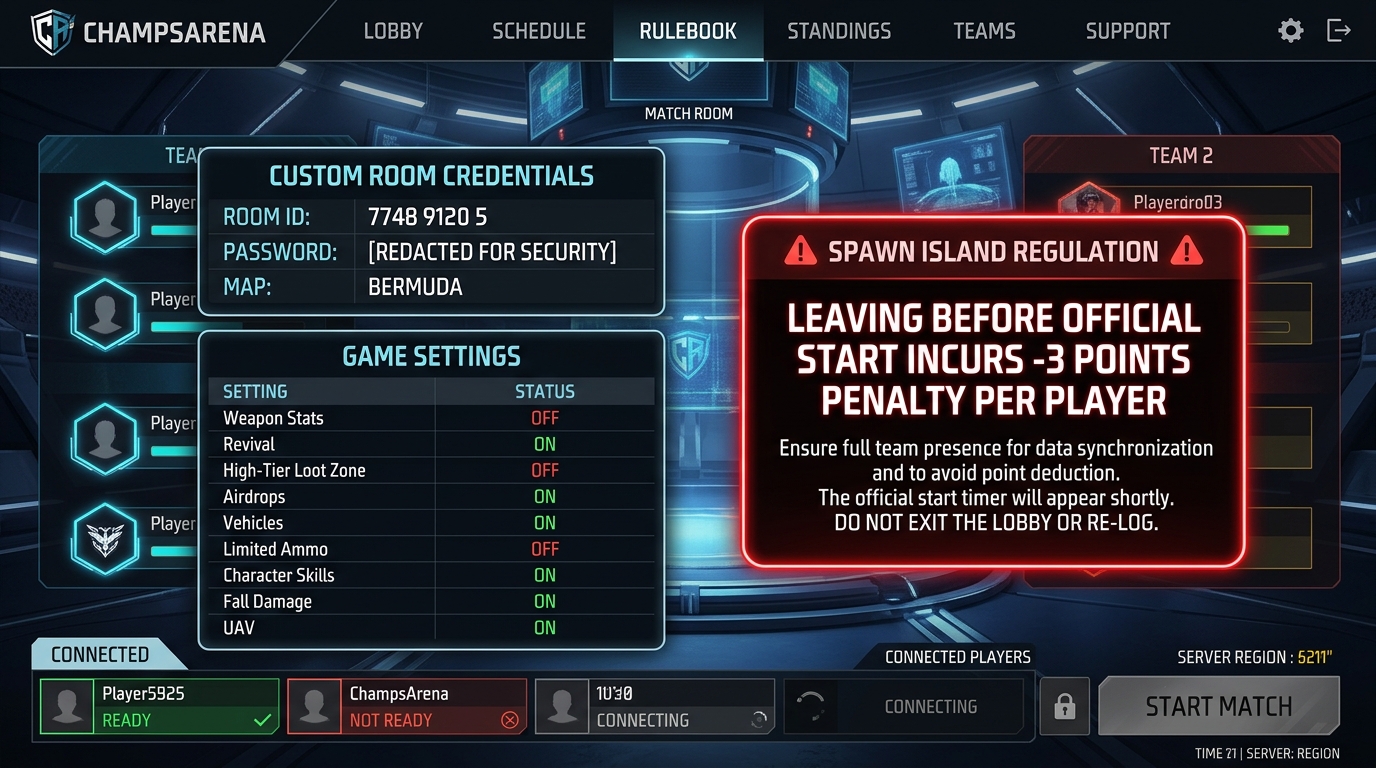
15 to 30 minutes before your match round begins, the Custom Room ID and Password will appear directly on your tournament dashboard in an active credentials panel with a 1-click Copy Credentials button.
Lobby Entry Checklist:
- 1Launch the official Free Fire MAX client on your mobile device.
- 2Navigate to Custom Rooms and enter the Room ID and Password provided on ChampsArena.
- 3Join the designated squad slot assigned to your team number.
- 4Ensure all 4 players are present before the countdown timer hits zero.
Spawn Island Regulations & Point Penalties
Under Section 6 of the Official Tournament Rulebook, players must remain on the spawn island until the match officially starts. Leaving the spawn island before the official start signal is strictly prohibited and attracts severe point deductions:
- 1 Player Leaves Spawn Island: -3 Points deduction
- 2 Players Leave Spawn Island: -6 Points deduction
- 3 Players Leave Spawn Island: -9 Points deduction
- Entire Squad Leaves Spawn Island: -12 Points deduction
Official Game Settings & Character Skill Restrictions
All competitive Free Fire matches on ChampsArena are hosted on the Bermuda map with standardized competitive esports parameters:
| Setting | Status | Competitive Rationale |
|---|---|---|
| Revival System | ON | Teammate revival cards and points remain enabled |
| In-Game Missions | ON | Standard map vending machine and terminal missions allowed |
| In-Match Quests | OFF | Arbitrary buff quests disabled |
| High-Tier Loot Zone | OFF | Blue high-tier zones disabled for competitive loot balance |
| Death Cam | ON | Enabled for anti-cheat verification and spectator referees |
| Loadouts | ALLOWED | Air drop tokens, scan, and standard loadouts permitted |
| Moving Safe Zone | ON | Final circle dynamically shifts to prevent camping |
| Opponent Costumes | STANDARDIZED | Eliminates camouflage skins and visual exploit advantages |
| Nicknames | HIDDEN | Lobby names hidden to eliminate stream sniping |
| Kill Feed | HIDDEN | Hidden in active combat for tactical suspense |
Character Skills & Banned Skins (Section 3):
- Character Skills: Each player must equip exactly 1 Active Skill and up to 3 Passive Skills.
- Diverse Active Skills Requirement: Every squad member must equip a different Active Skill. Duplicate Active Skills within the same squad are strictly prohibited.
- Banned Skins: Attack Titan Skin and Armoured Titan Skin are strictly banned due to modified hitboxes.
- Banned Pets: Poring Pet and all associated skins are banned from tournament play.